
Explore ideas together
Create a shared-place design and use visual concepts to support community conversations.
Joined research projectsExplore ideas for the places you share. Upload a street photo, place trees, benches, lighting, or bike lanes, and describe the changes you’d like to see. Use AI-generated visuals and six-dimension evaluations to explore alternatives and support community conversations.
Create a shared-place design and use visual concepts to support community conversations.
Joined research projectsCreate an organization, manage research project briefs, and invite collaborators with their own PopAgora accounts.
Manage projects and invitationsExplore AI-generated ideas for shared places. These visuals support concept conversations; they are not measured plans or professional assessments. Drag the seam to compare each before-and-after concept.
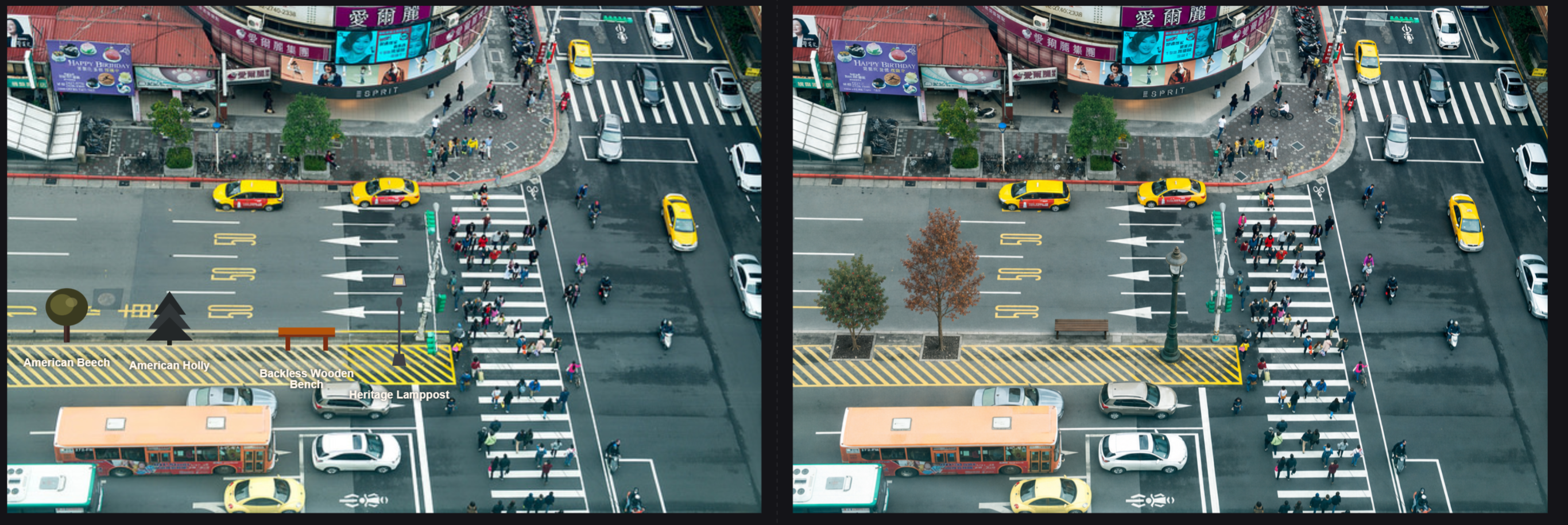
A concept for adding two trees beside the bus shelter.
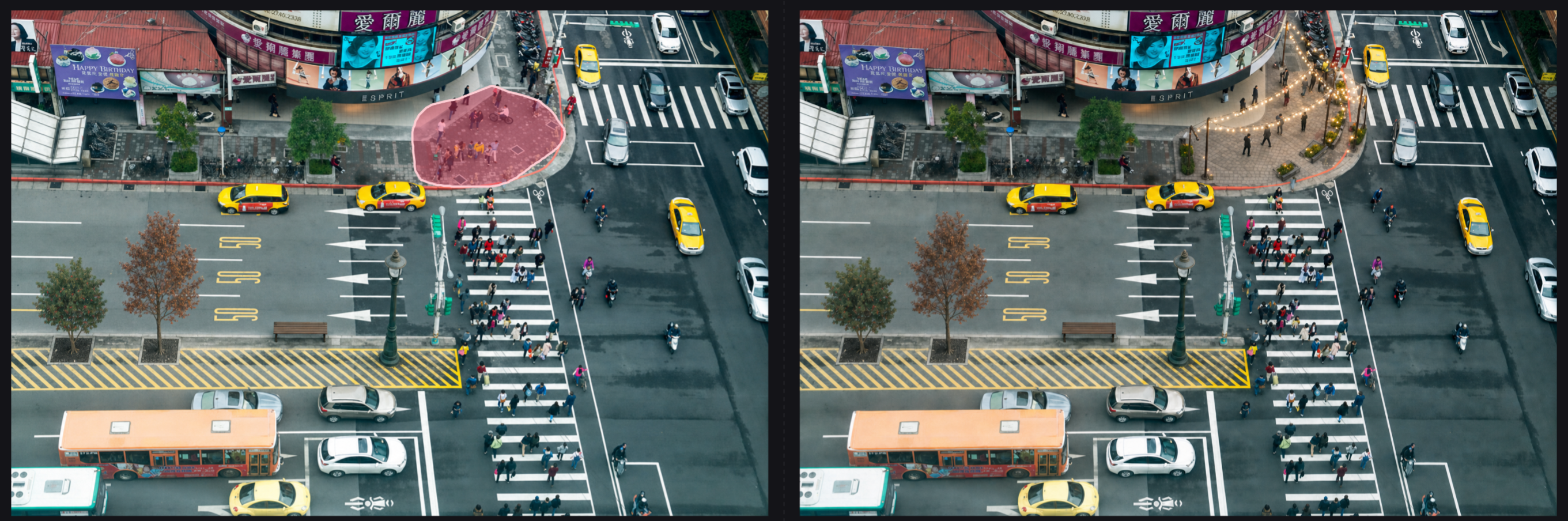
A concept for a pedestrian plaza at the corner.
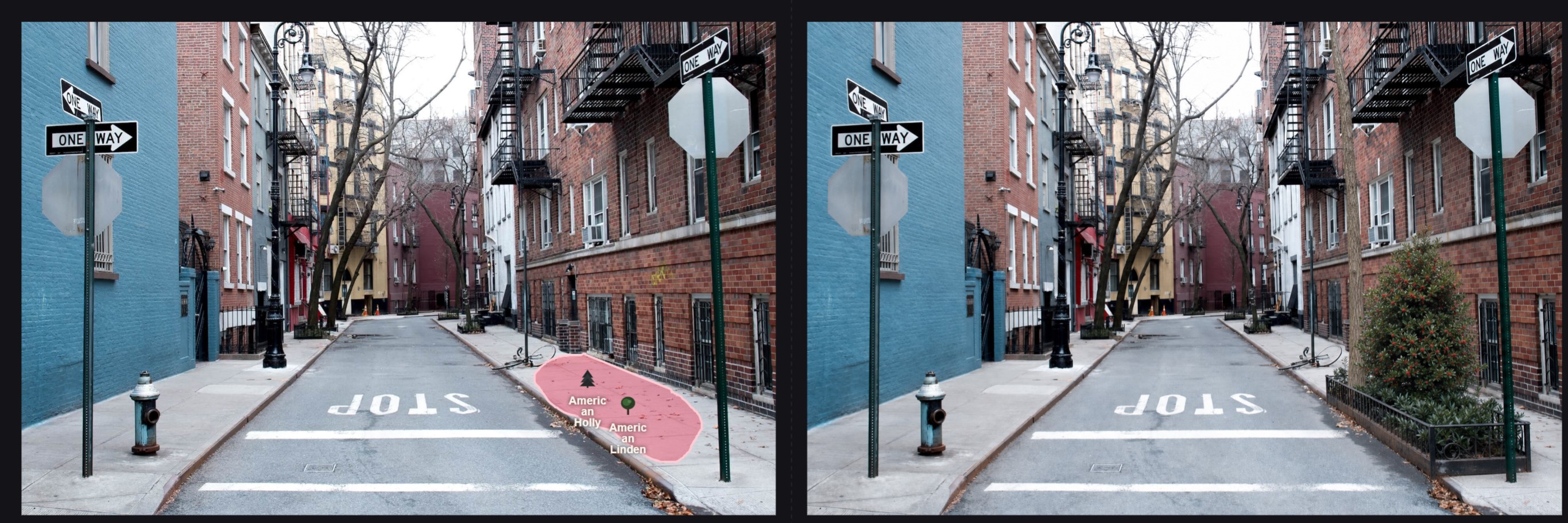
A concept with American Holly and Linden trees along the curb.
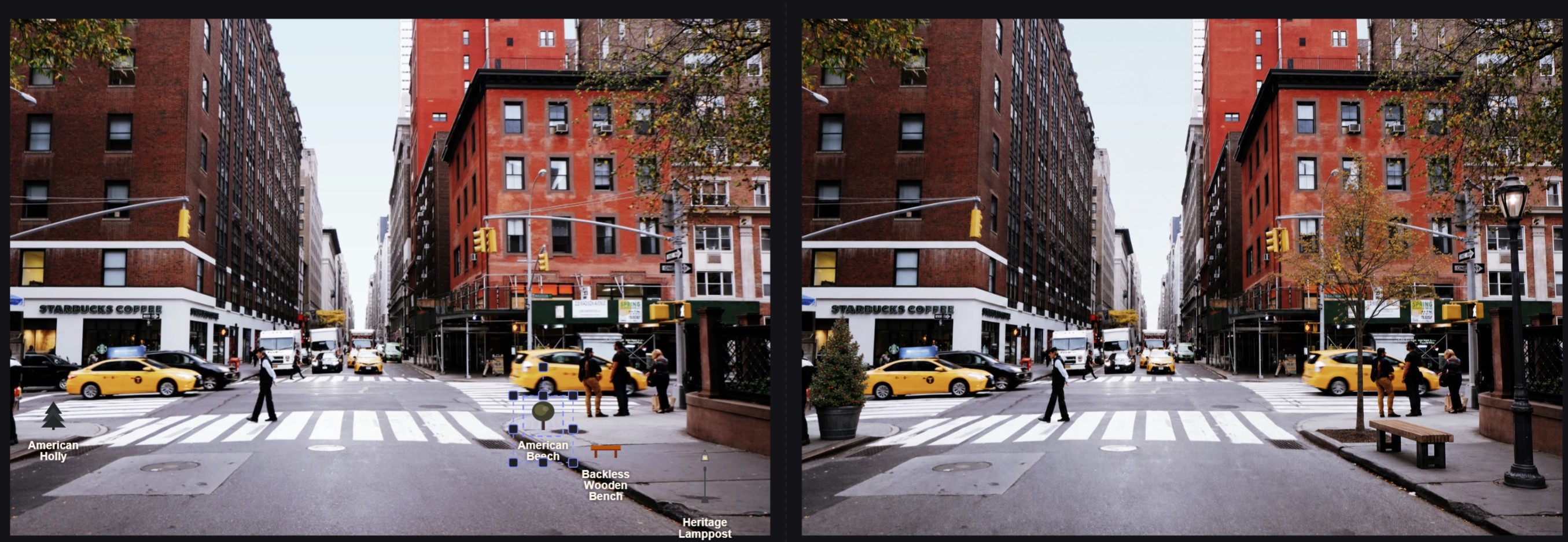
A concept with a tree, bench, and lamppost at the corner.
Three pieces of the studio that do most of the work — tools on the left, assets on the right, dock at the bottom.
Use the same editor to place elements, mark an area, and describe a change. AI-generated visuals can help you explore possibilities; review each result as a starting point, not as professional approval.
Place, move, resize, and rotate elements on a photo to sketch a possible change before generating an AI visual.
Describe an idea and mark an area to guide an AI-generated visual. Results may differ from your photo and should be reviewed.
Explore before-and-after concepts and use them as conversation starters about changes to shared places.
AI-generated evaluations consider aesthetics, safety, walkability, vibrancy, greenness, and inclusion. Treat them as discussion prompts, not professional assessments.
Loading projects…